How Can We Help?
KB-0005 How to make a Return – Cash Refund
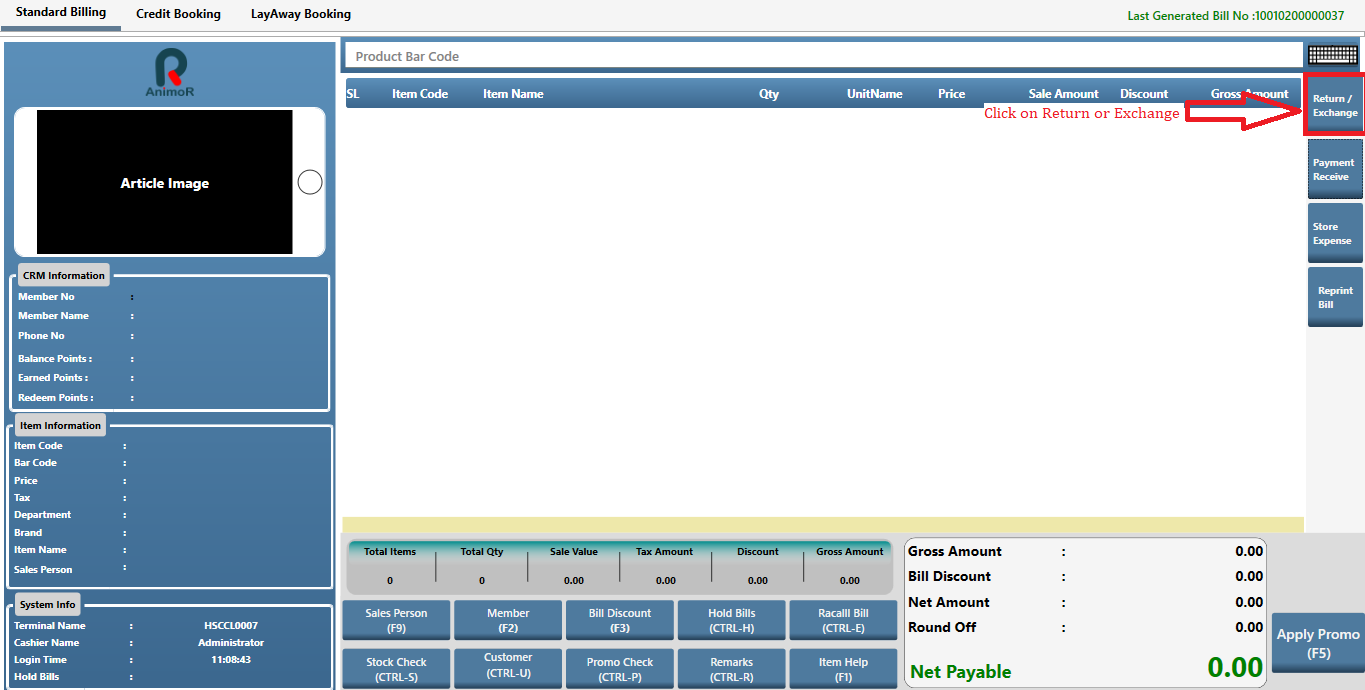
- Click on Return Exchange or Press F7 Key
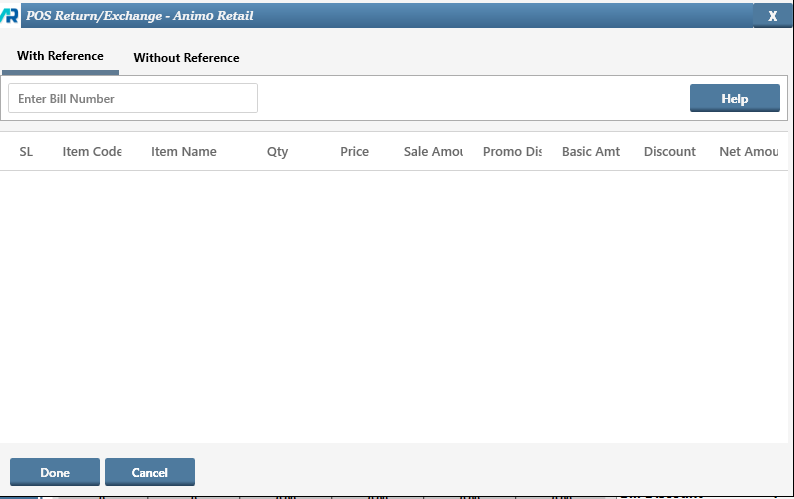
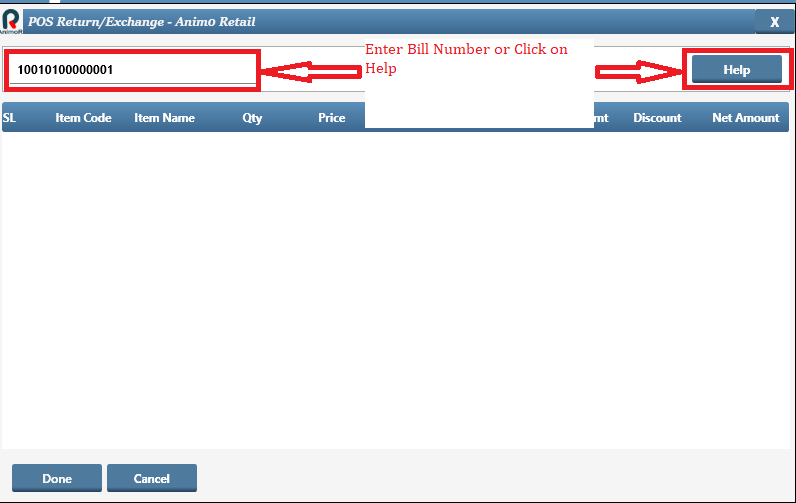
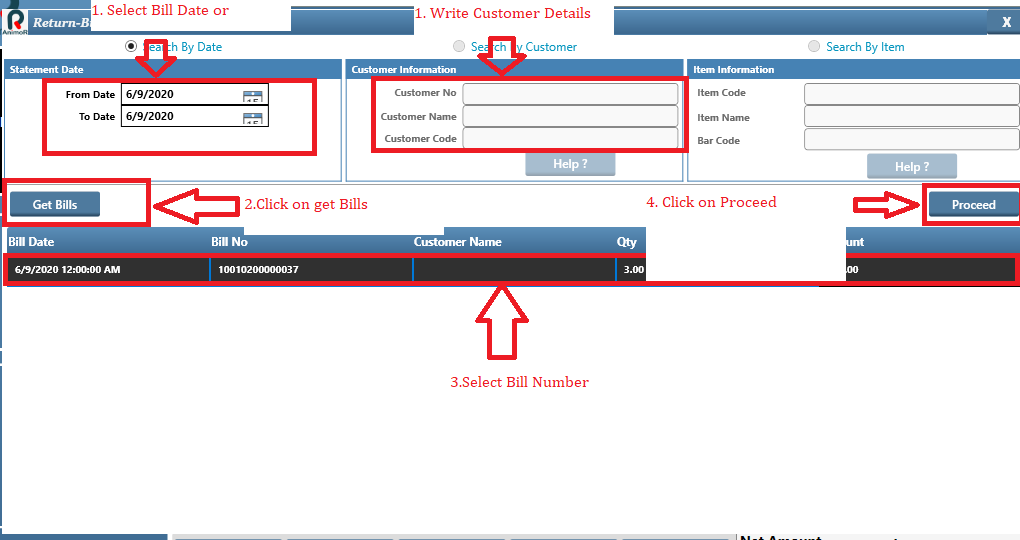
- Enter the bill no against which return has to be made
- Press on Help Button if Bill No is not available
- Enter From Date and To Date and press on Get Bills, then click on Proceed
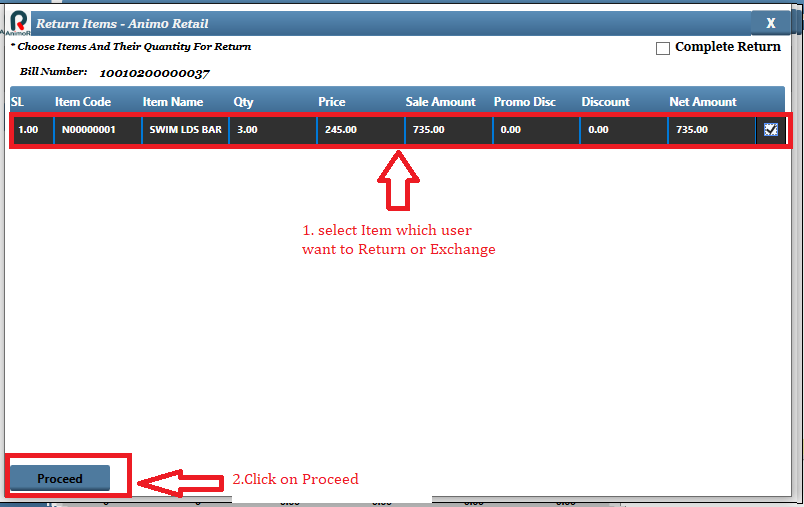
- Select the items which need to return and click on Proceed
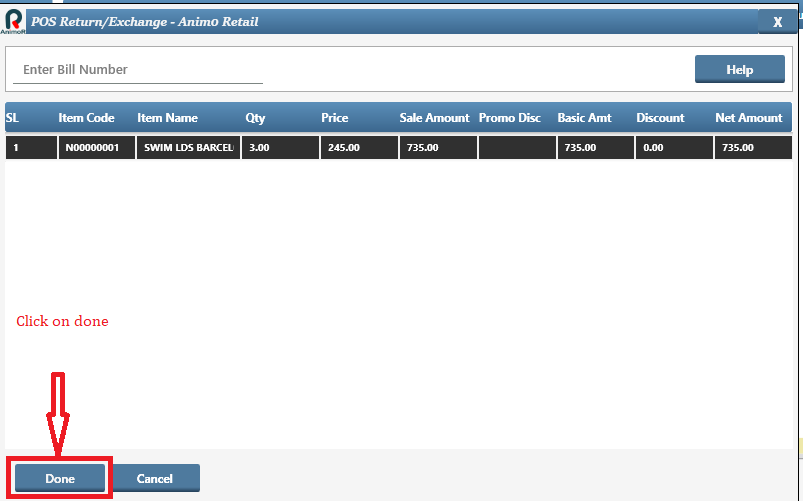
- Click on Done Button
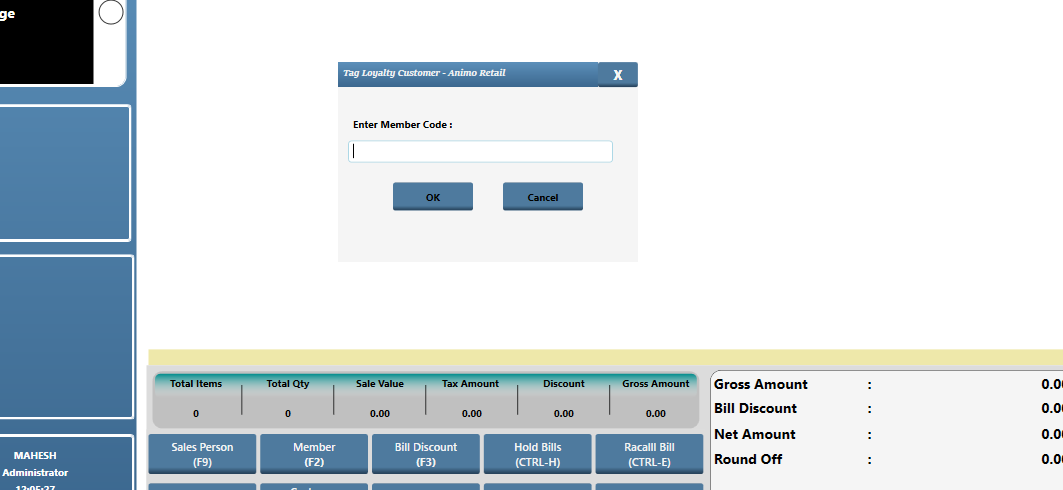
- Add Customer or VIP, if credit note has to be issued, This step is optional
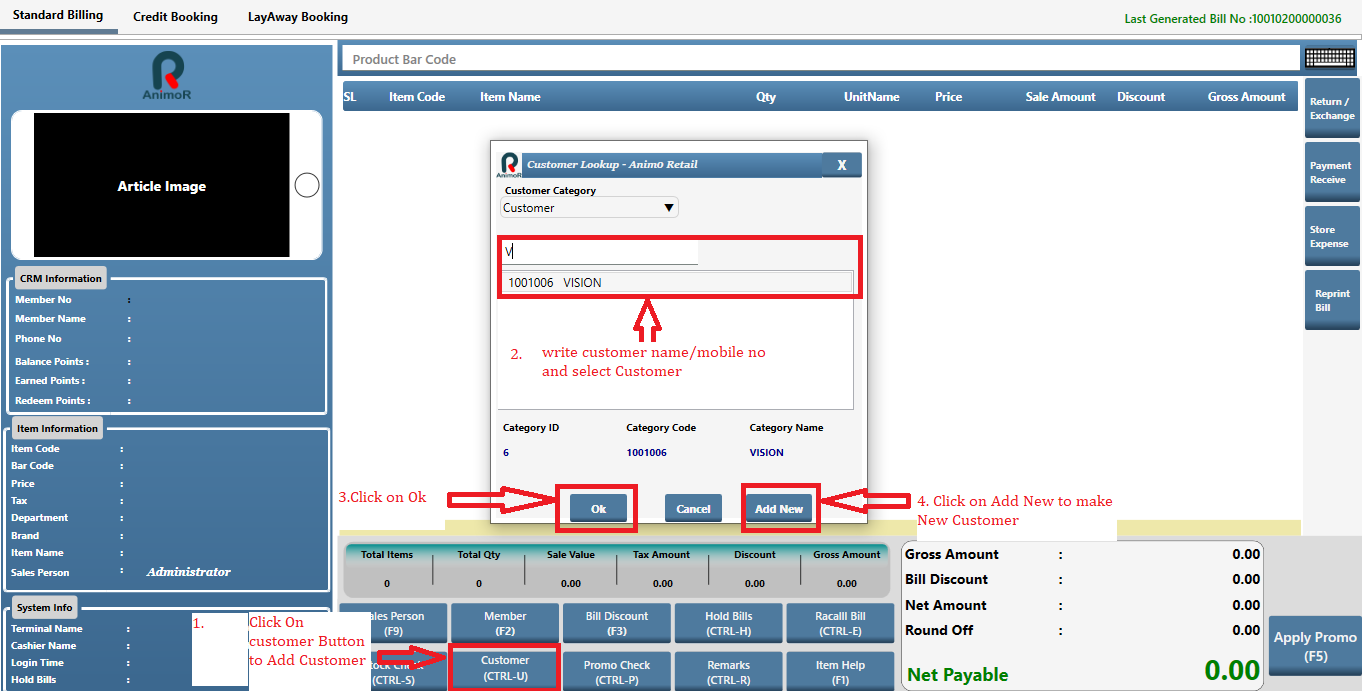
- Press on F5
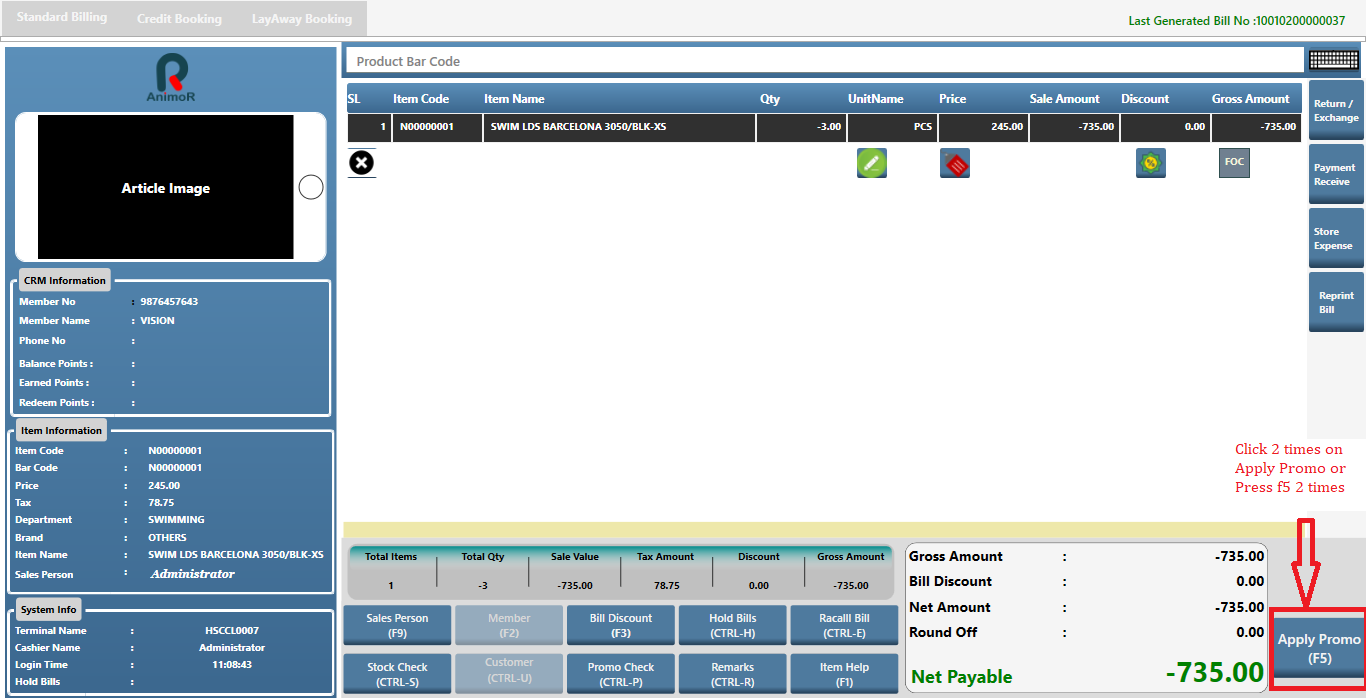
- Again Press on F5 and below screen will appear
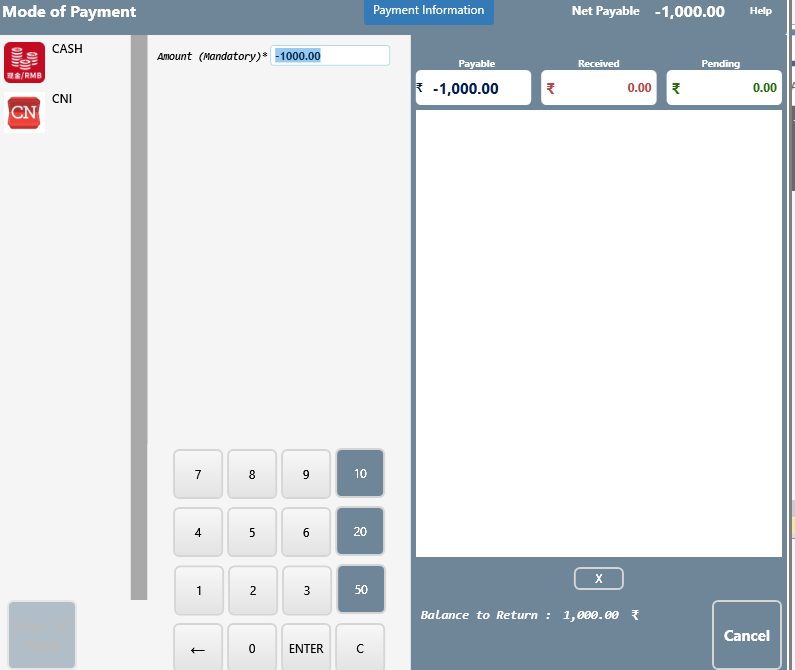
- To make cash refund, select cash and enter the value in negative like below, press enter and then click on Save & Print
-
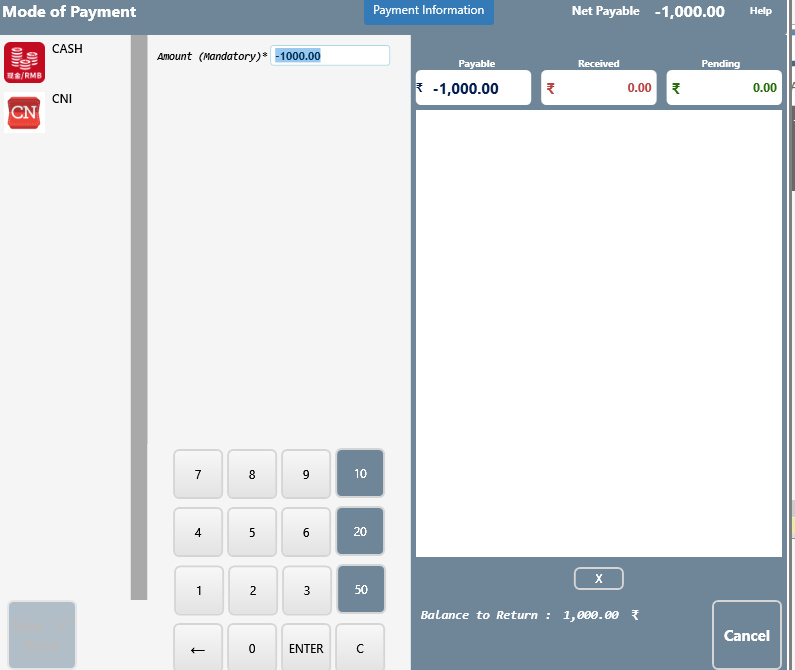
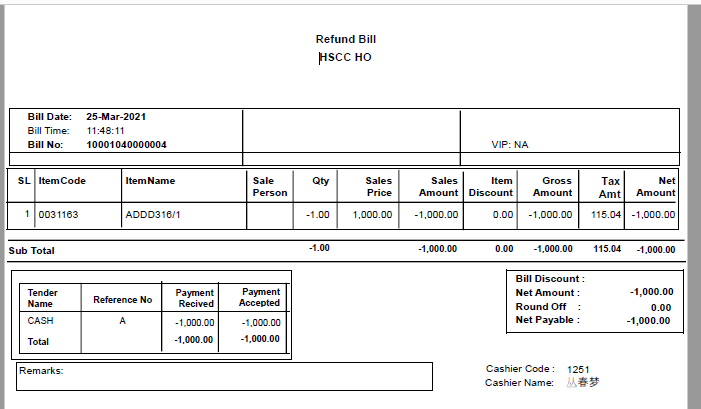
- Cash Refund Print