How Can We Help?
KB-0007-How to Apply Extra Charge in POS Bill.
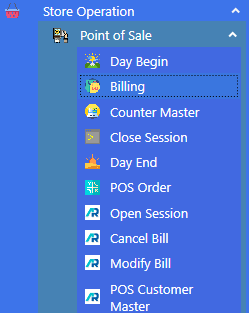
>Navigation : Store Operation >Point of Sale > Billing.
> First Click on Billing Function.
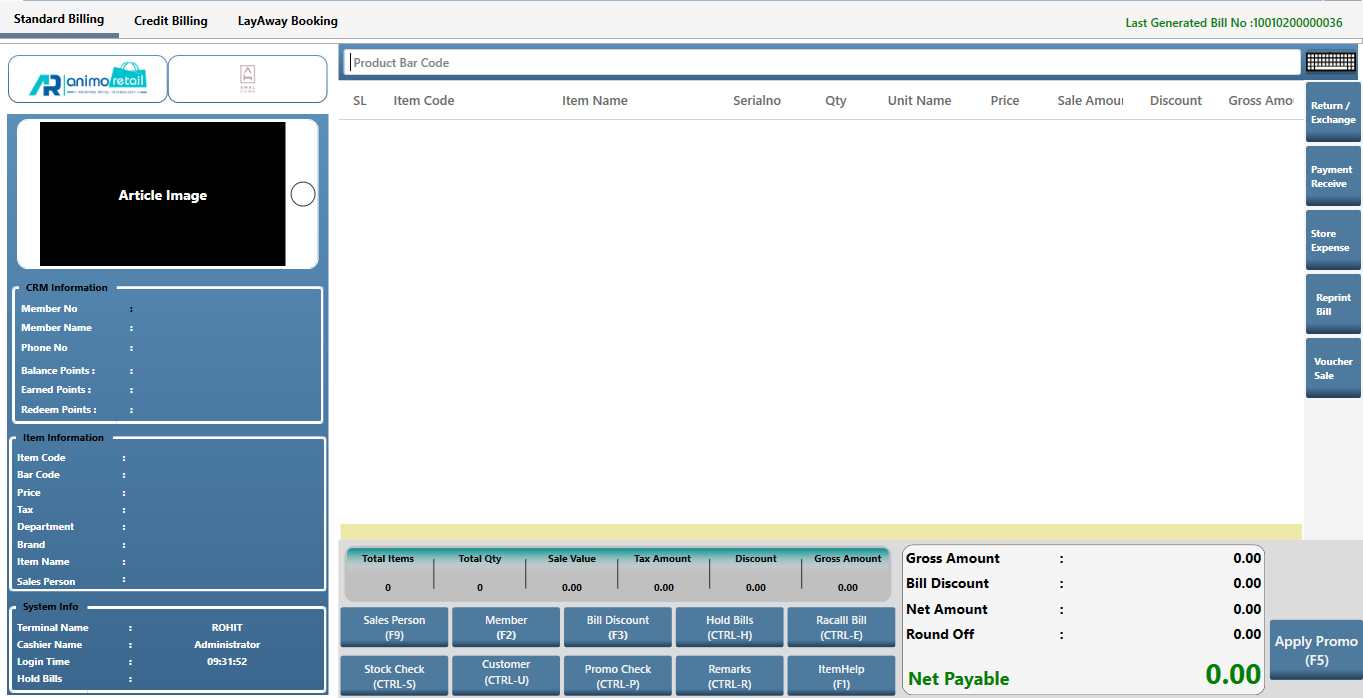
>After clicking Billing function this window will appear.
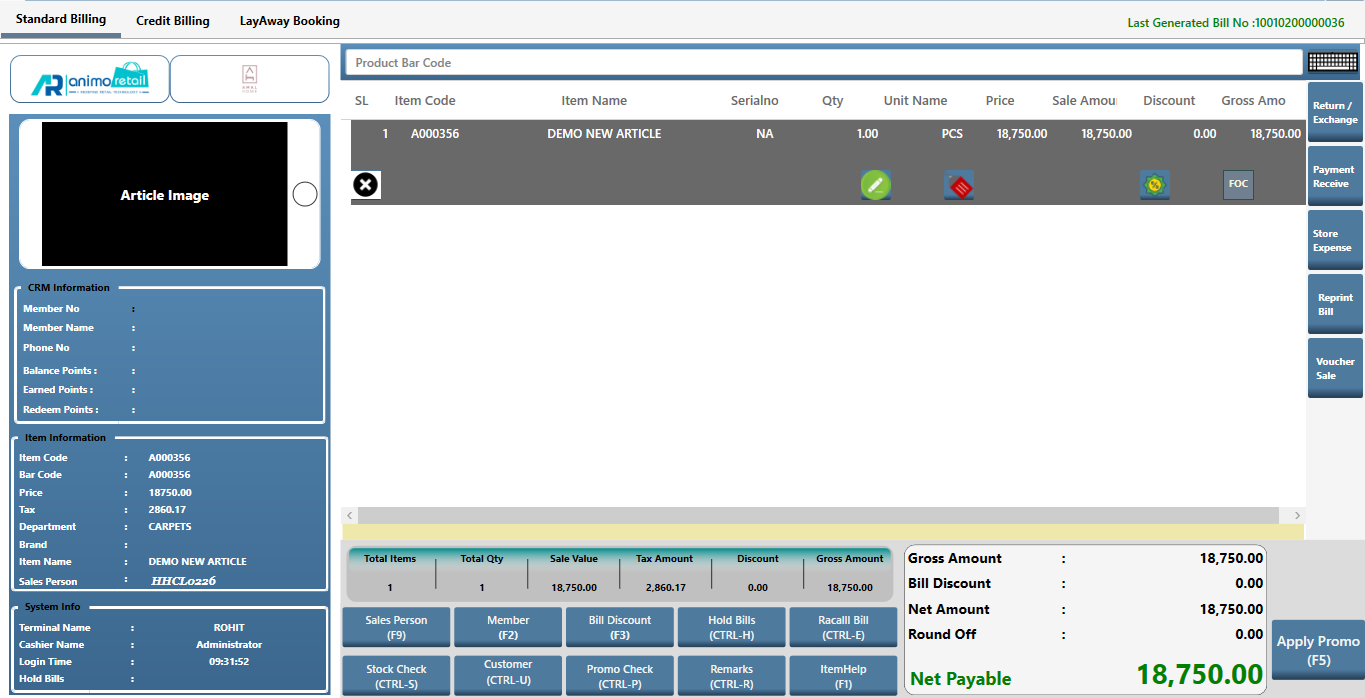
>First you Select the items for which you want to Bill.
>After that, open Tender window for payment received.
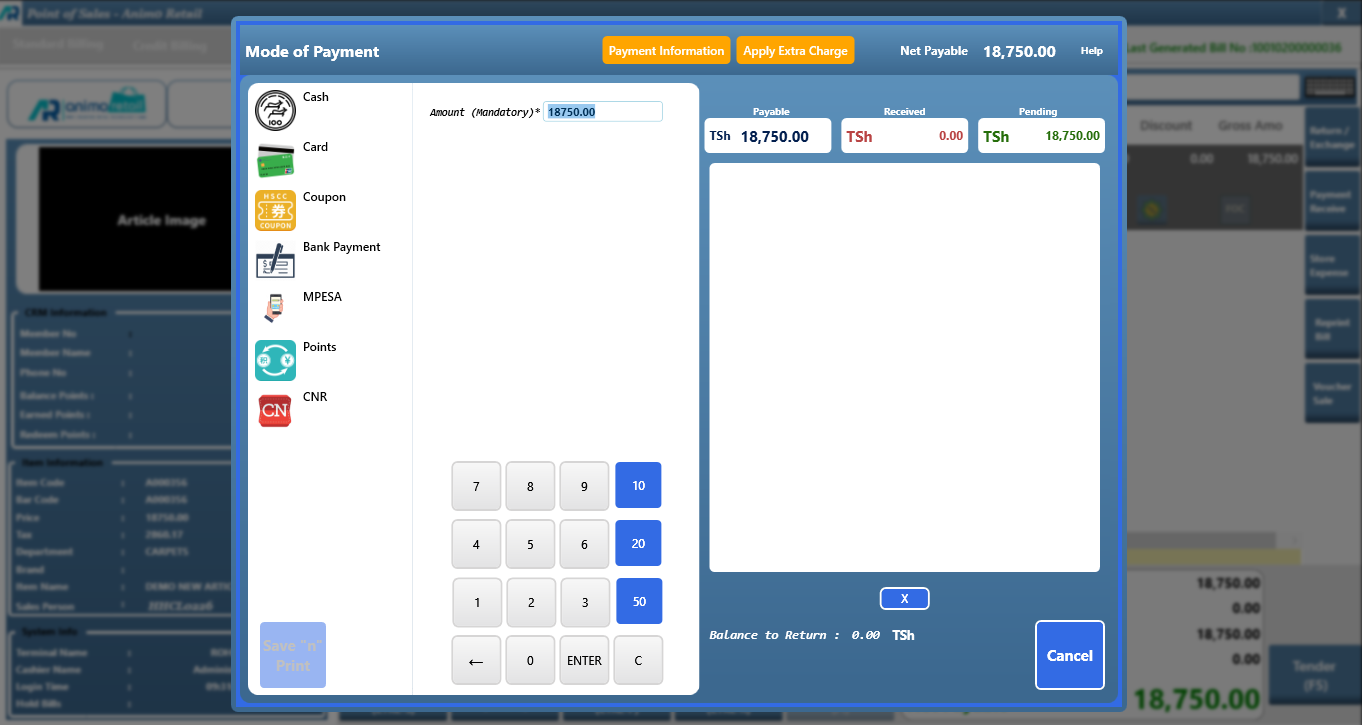
>Click on Apply Extra Charge Button.

>When you click on Apply Extra Charge button, this window will appear.
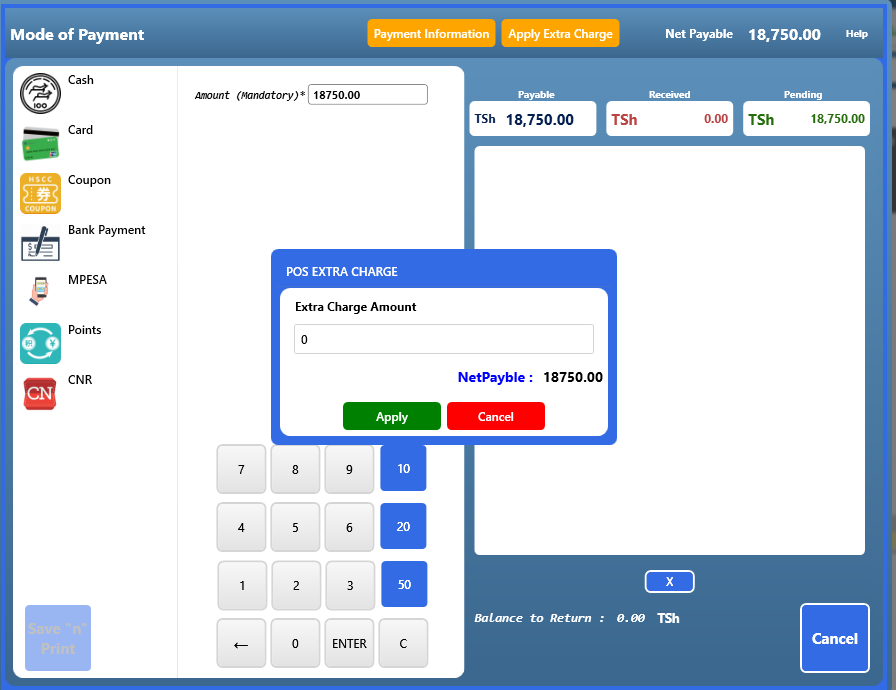
>Put your Extra Charge Amount in it, then click on Apply button in green color.
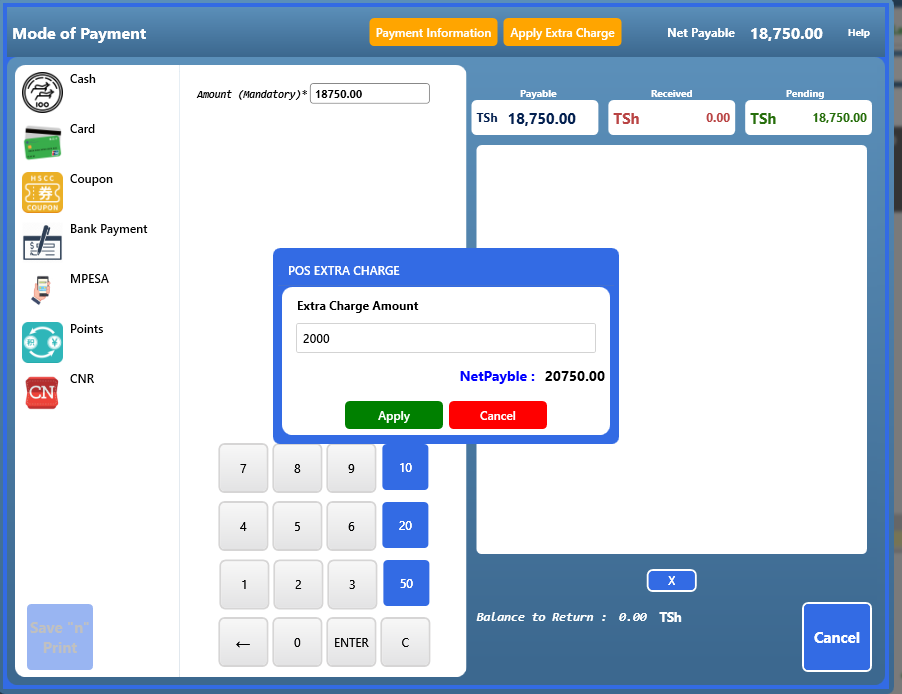
> After clicking on the Apply button, you will see that the Extra Charge value has been added to the Net Payable value.
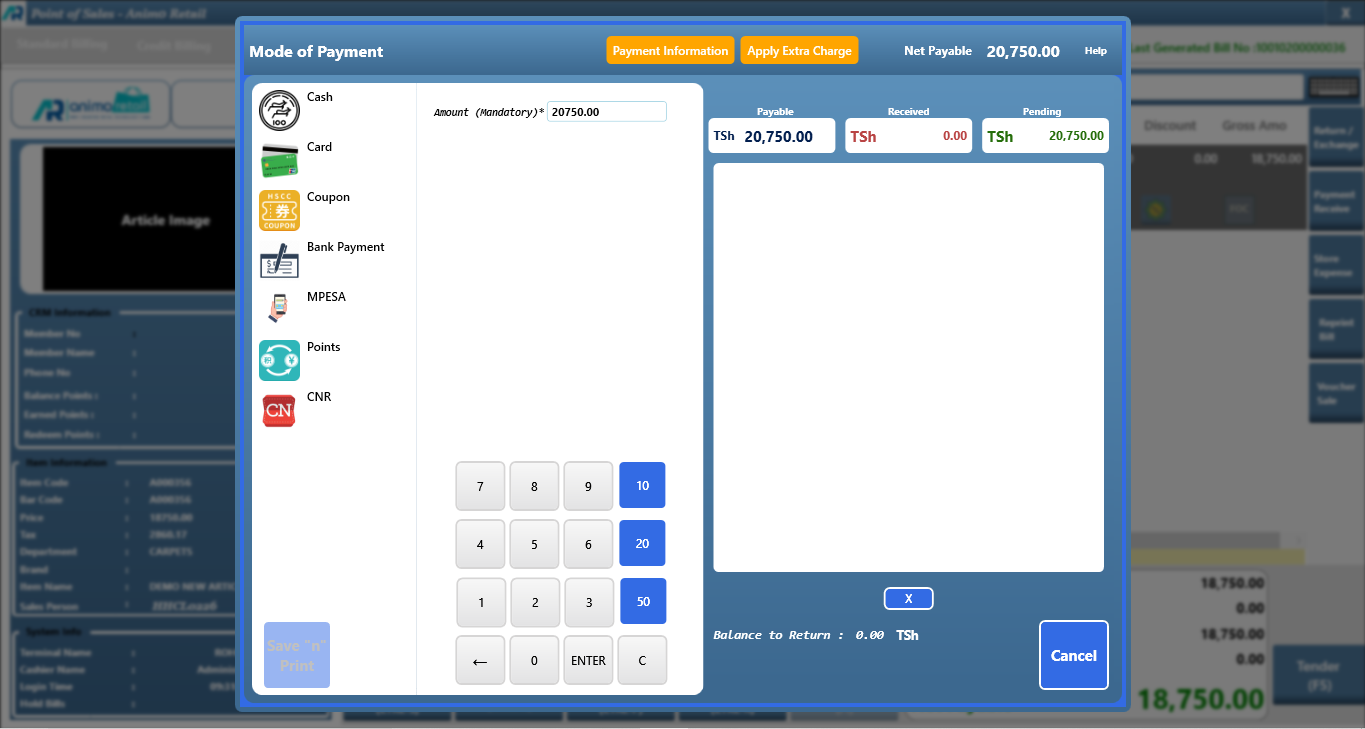
> Now press the enter button and Save the bill.
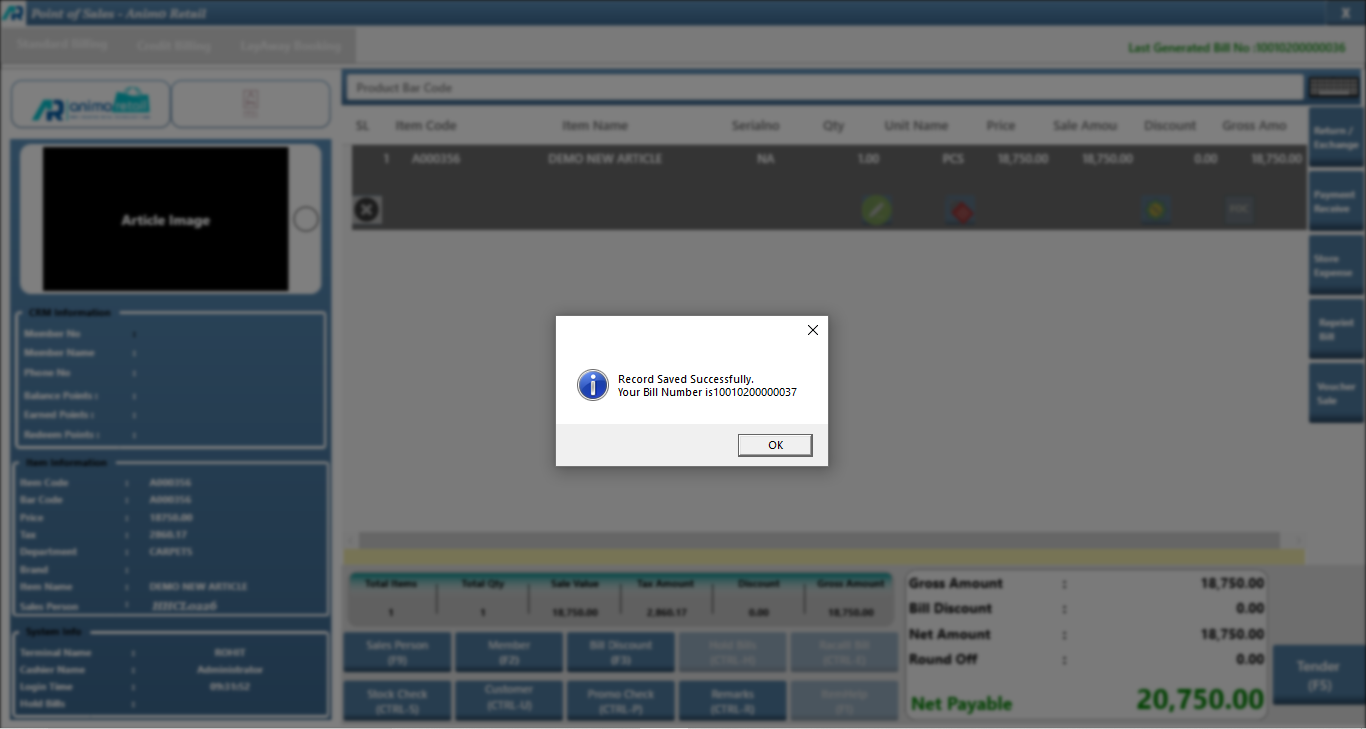
>>>Now your whole process of How to Apply Extra Charge is completed successfully.