How Can We Help?
AR/WEB-005- How to Manage Variant Matrix Item (Color)
In Animo RETAIL there are two ways Sizes can be managed in Variant Items e.g. in Color Size Items.
- With Size group
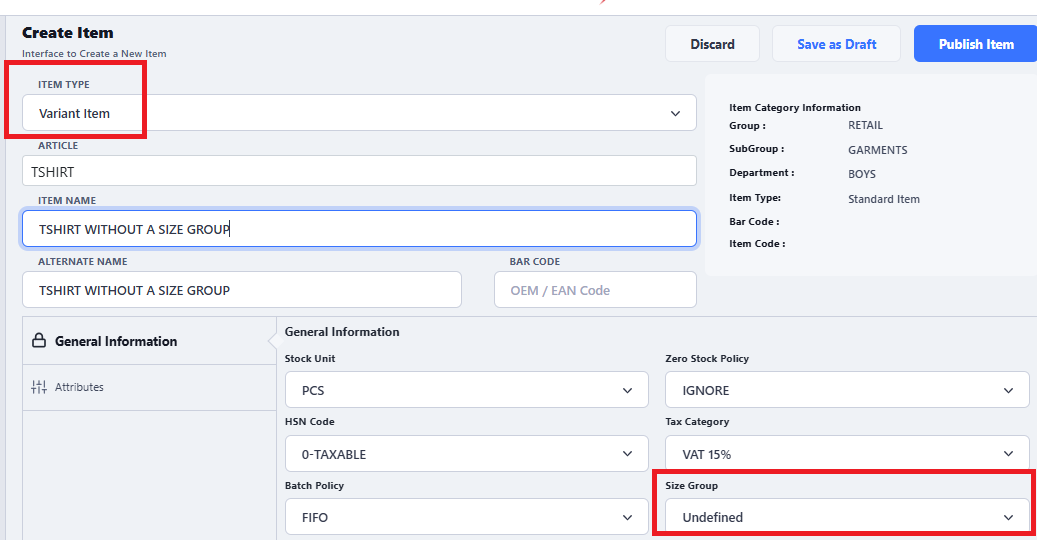
- Without Size Group – Undefined
To understand the difference let’s see how to create an item with both option in following table
- Create an Item
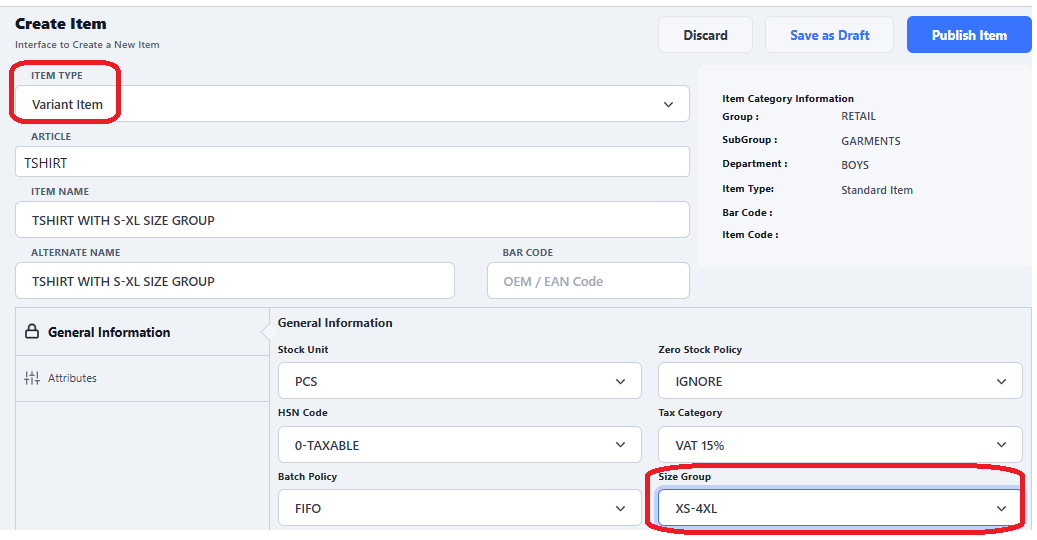
- Option1: Create an item with a predefined size group
- Option2: Create an item without a size group
- Option1: Create an item with a predefined size group
-
After item is created it will be visible in list of item manager where we can click on manage item and add variants e.g. color and sizes according to requirement
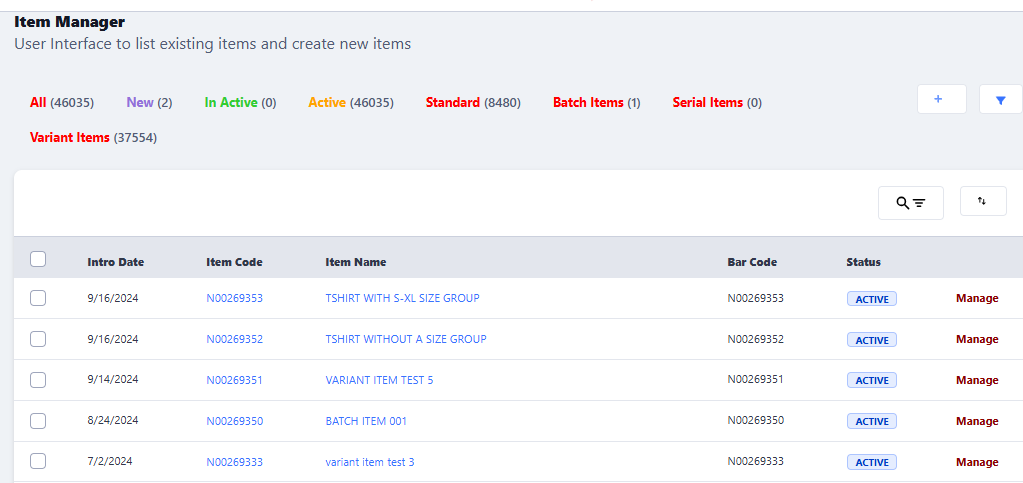
- Click on Manage Item in front of Ite, a new interface will appear to manage item, click on tab Manage Variant
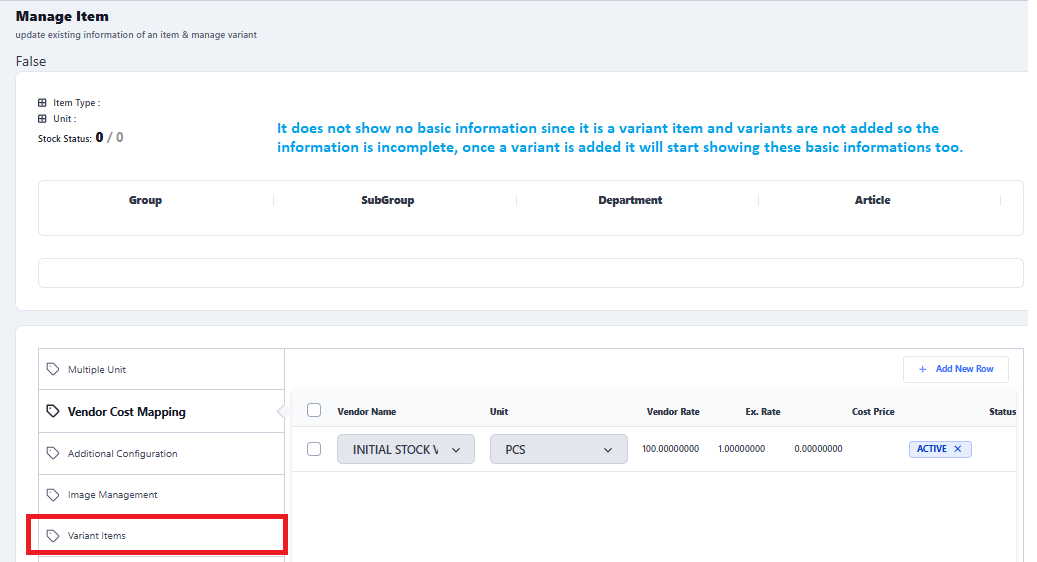
- Click on Add New Row
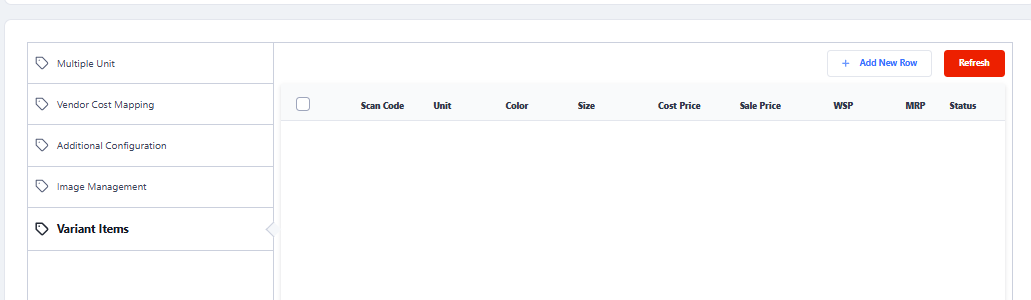
- Manage Item with predefined size group
- Type the color value as below image, RED is added as an example
- Then choose the sizes in which item to be received
- Change Prices is required (Optional Step)
- Click on Save Button
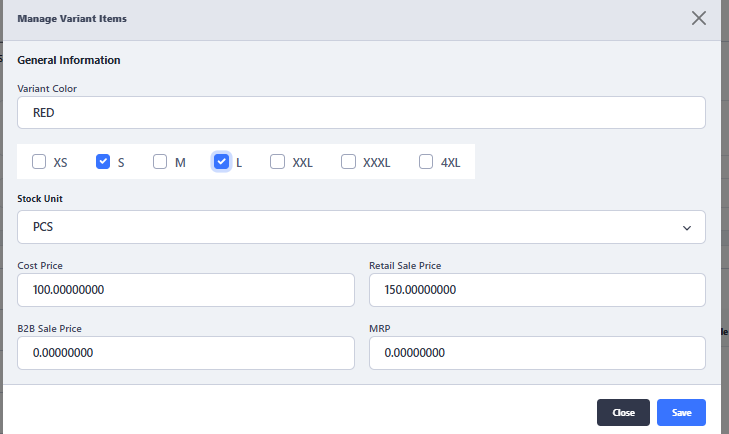
- \
- Manage Item with undefined size group
- Type the color value as per your requirement and click on Add New Color button
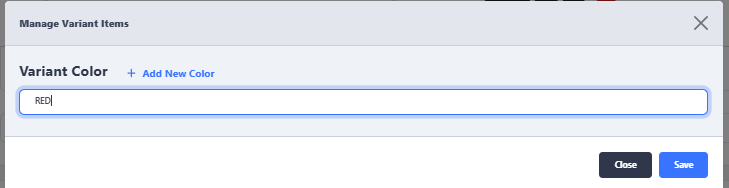
- One more option appears on screen to add size value
If user want, user can add OEM/EAN barcode of the item in front of variant size.
Also, if required can define different cost, sale price for each color and each size as per requirement.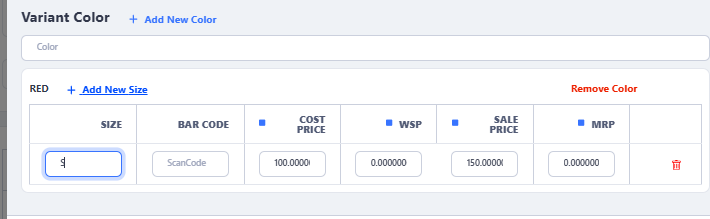
- Clock on Add New Size to add further sizes according to your requirement, then click on Save button to add variants under the defined item.
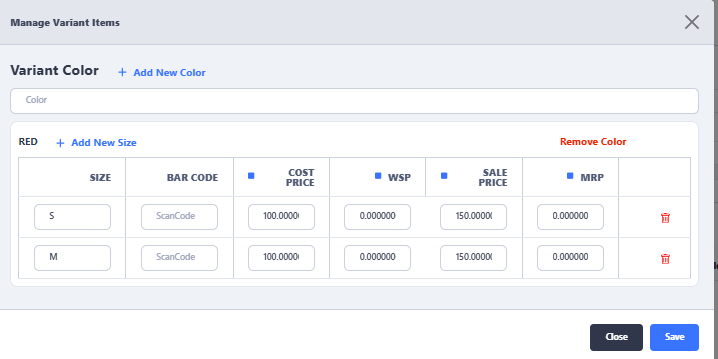
- Type the color value as per your requirement and click on Add New Color button
- Wait for message box to appear at interface
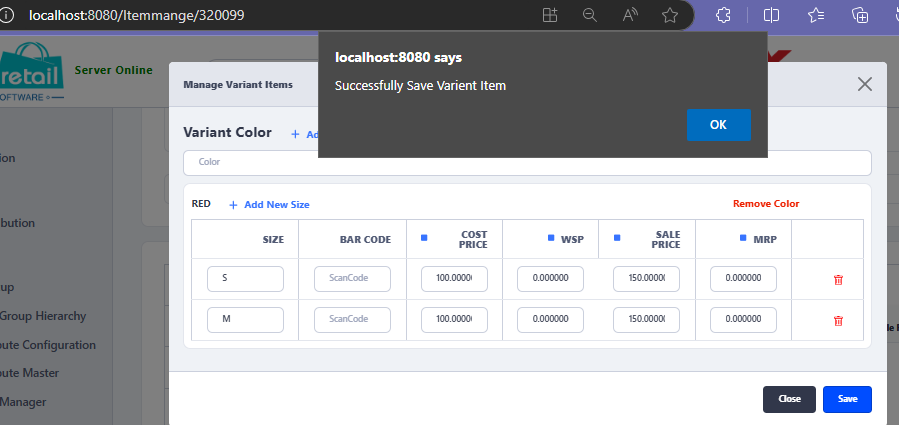
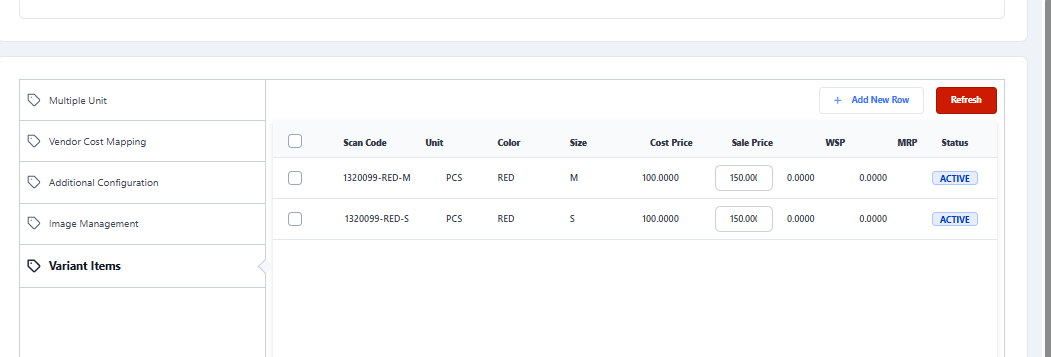
- Click on Refresh button to show the newly created variants.
- Now variant can be used in any transaction such as Purchase Order
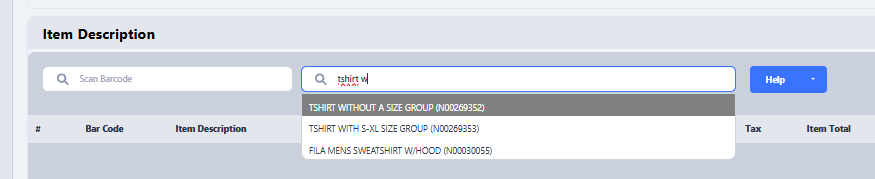
- Choose the item and a pop up will appear to choose required color and sizes
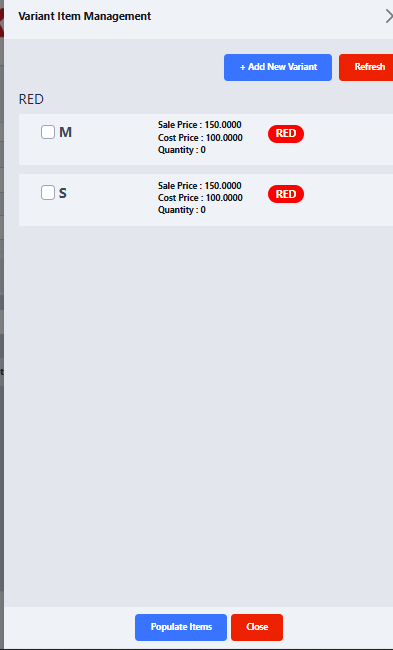
- A user can add new color and size from this interface too if it is purchasing transactions and user is authorized to do that.
- There may be a small query in your mind in the above explained process is How to manage predefined size group
Please refer to the article to understand how to manage predefined size group.