How Can We Help?
AR/WEB – Sales -How to create a business customer
- Navigation & List of Sales Invoice
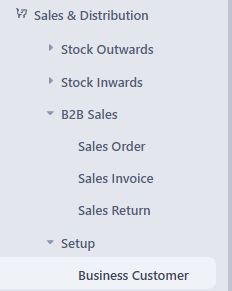
Navigation: Sales & Distribution >B2B Sales > Sales Invoice
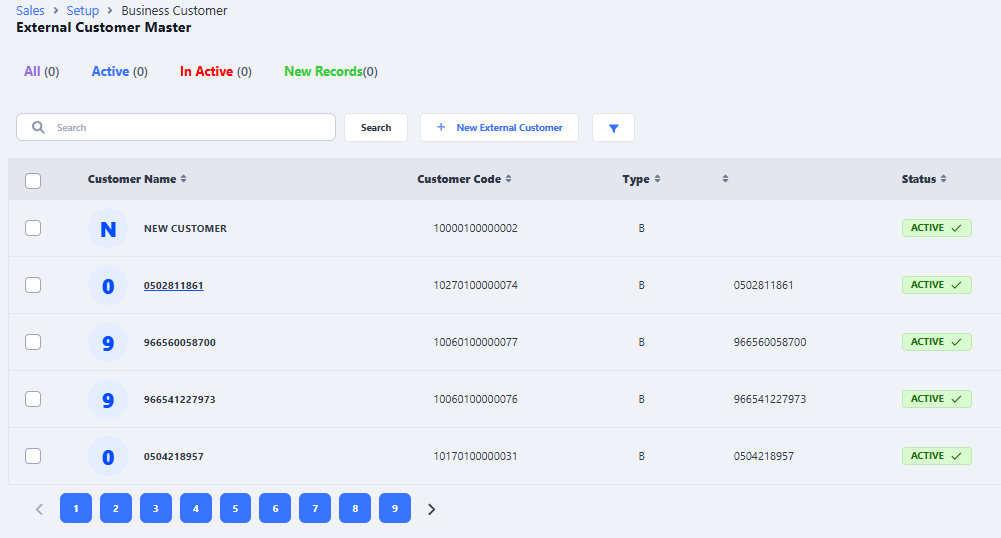
- Create a Customer
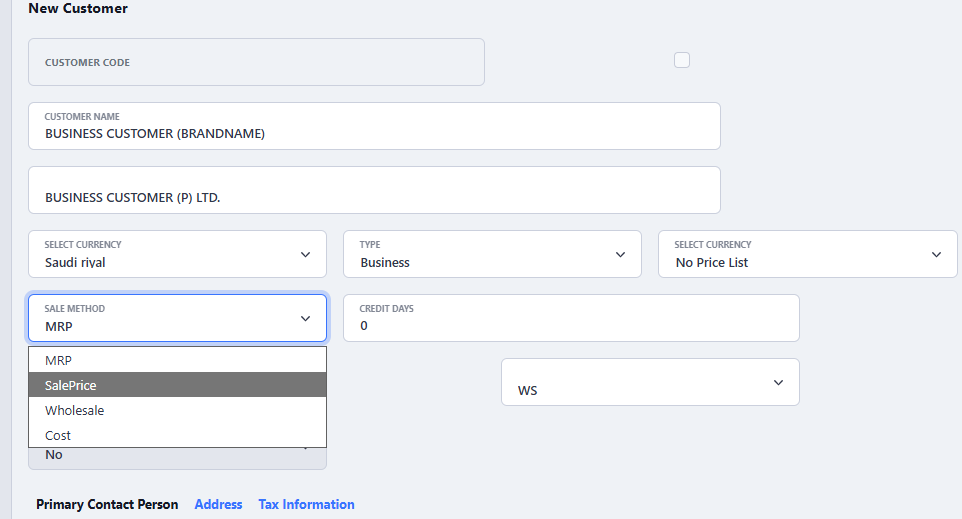
Choose Sale Method carefully - Customer – Tax Information
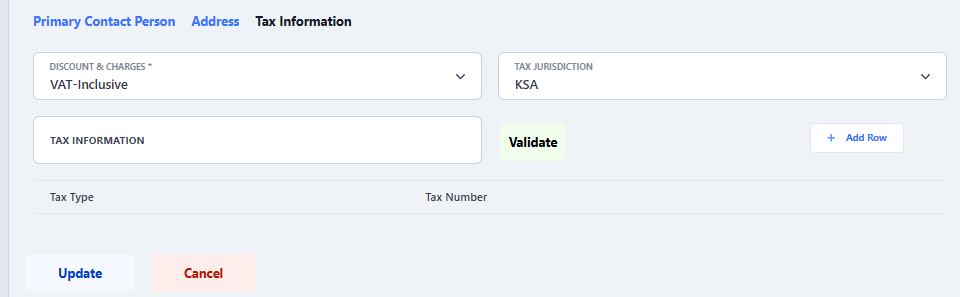
- Do not forget to choose Discount & Charges Formula it can be VAT Inclusive or VAT Exclusive depending on the business requirement
- If there are multiple tax region such as in India or USA, please choose respective jurisdiction of business entity.
- Tax Information field to be used to save VAT or GST No of Business Customer.
- Click on Update or Save button to save Business Customer