KB-0001-How to Create Standard Billing.
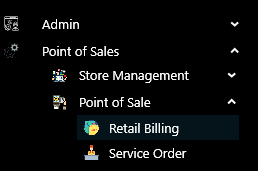
>Navigation : Point of Sales >Point of Sale >Retail Billing.
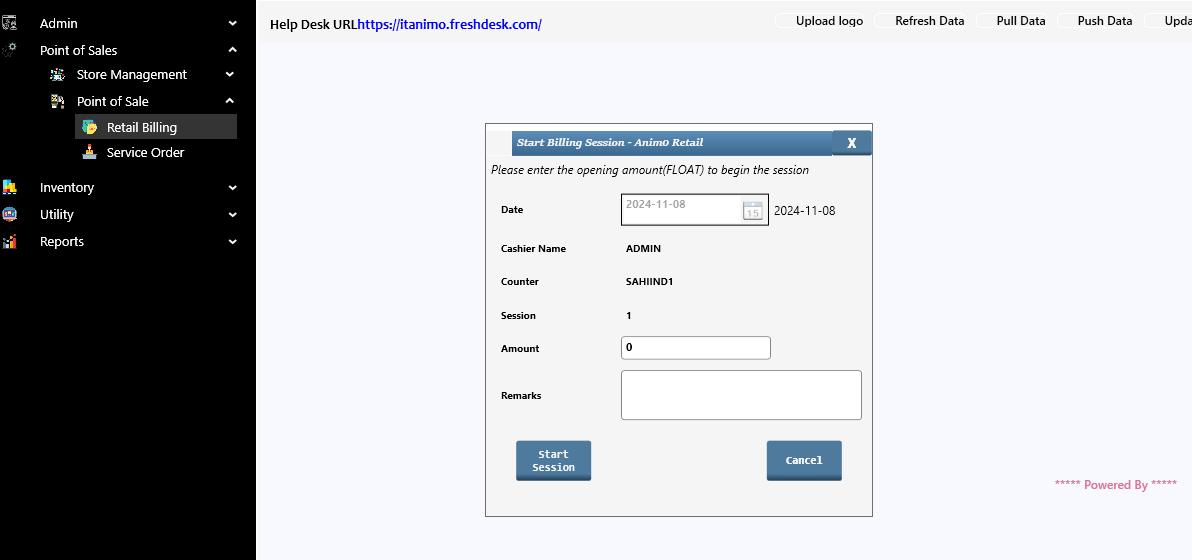
 >After clicking Retail Billing function this window will appear. please enter Opening Amount and click on Start Session button.
>After click on Start Session, this window will appear.
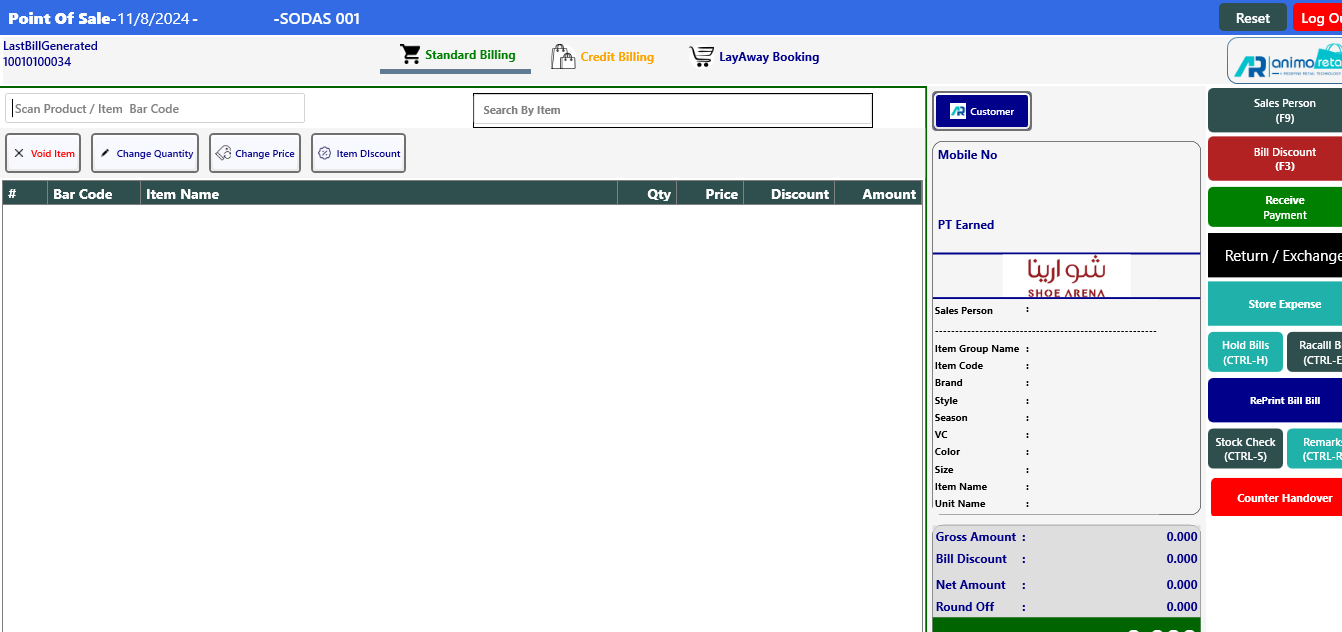
> Now if Mandatory then Select the Sales person by clicking on Sales person button and select the Customer by you clicking on Customer button. This step is optional.
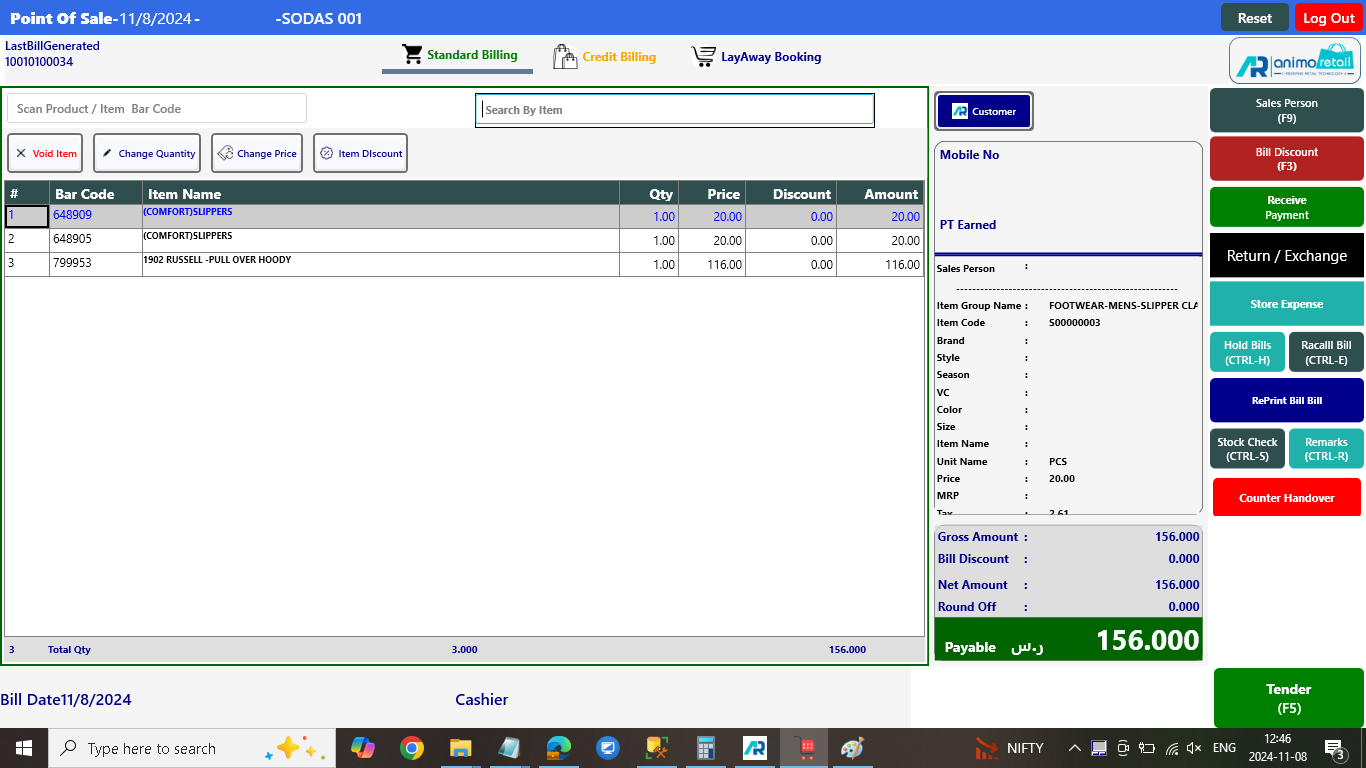
> Otherwise Start scanning in Scan Product / Item Bar Code option, if you don’t know the barcodes then you can use Search by Item option and type the Item Name or Itemcode here and you can see the list appear and then you can select items from the list window
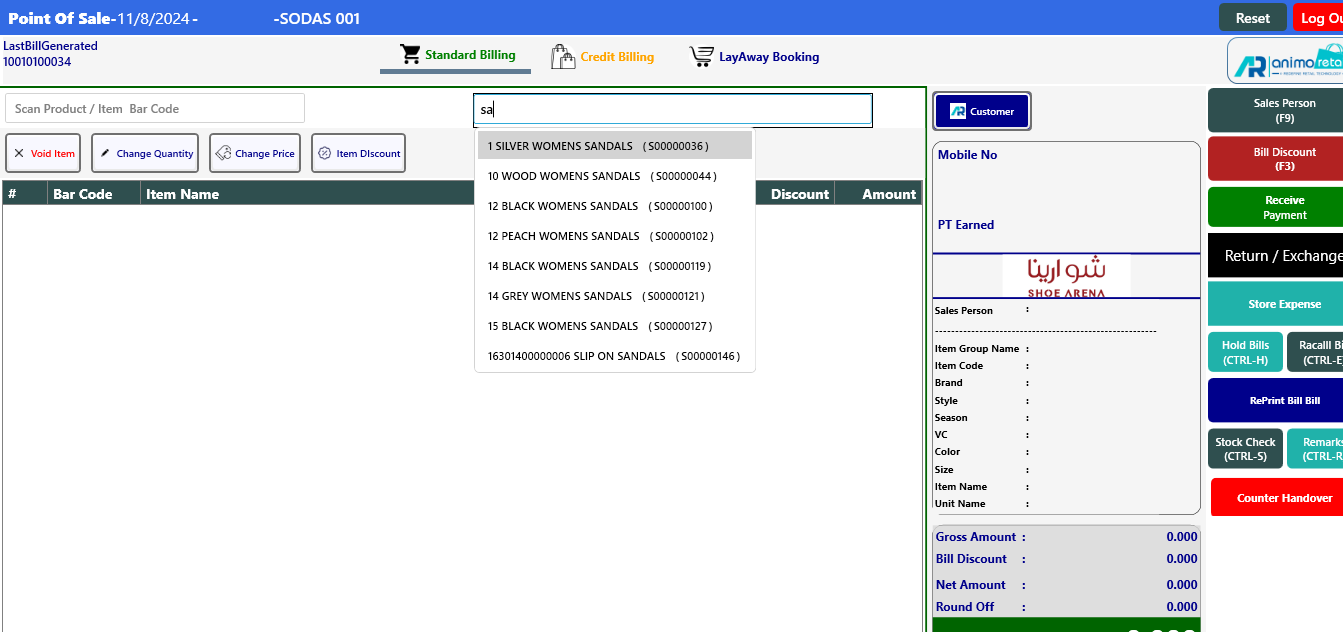
> After Select the items, click Tender button or Press F5 to select Payment mode.
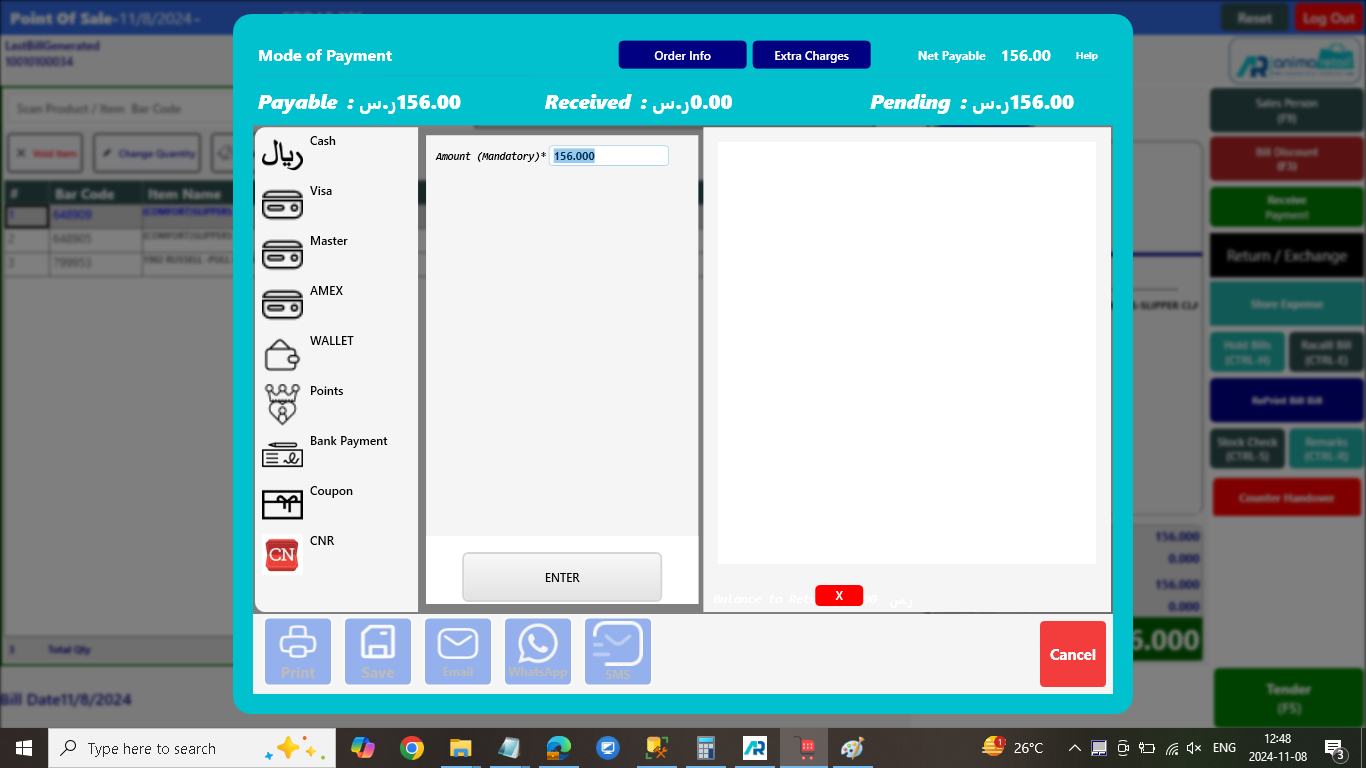
> After click on Tender Button, you will see the Tender window will appear, Select the Payment Mode and press the enter button.
> After Press enter button, you will see the Tender mode and amount showing on the right side grid.
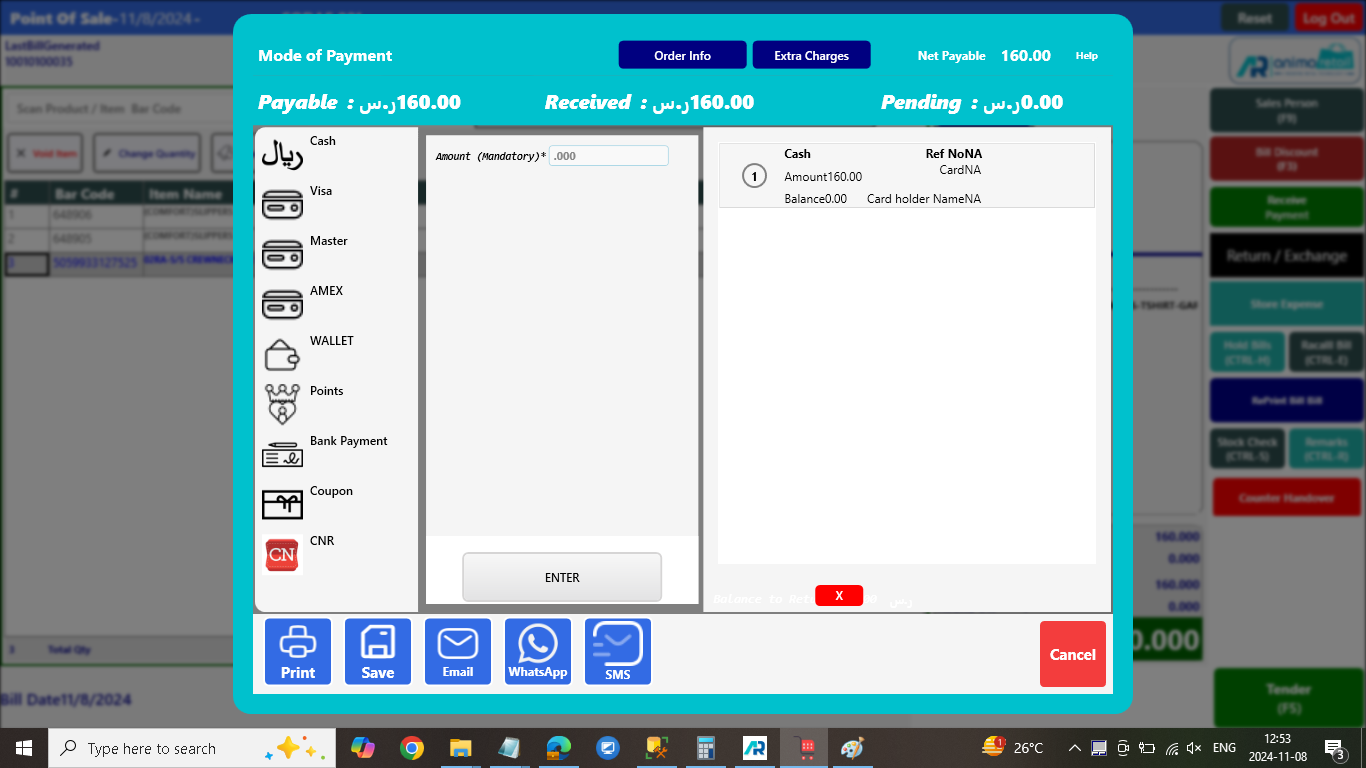
> Now Press F10 or click on Print button to Save and Print the Standard bill.
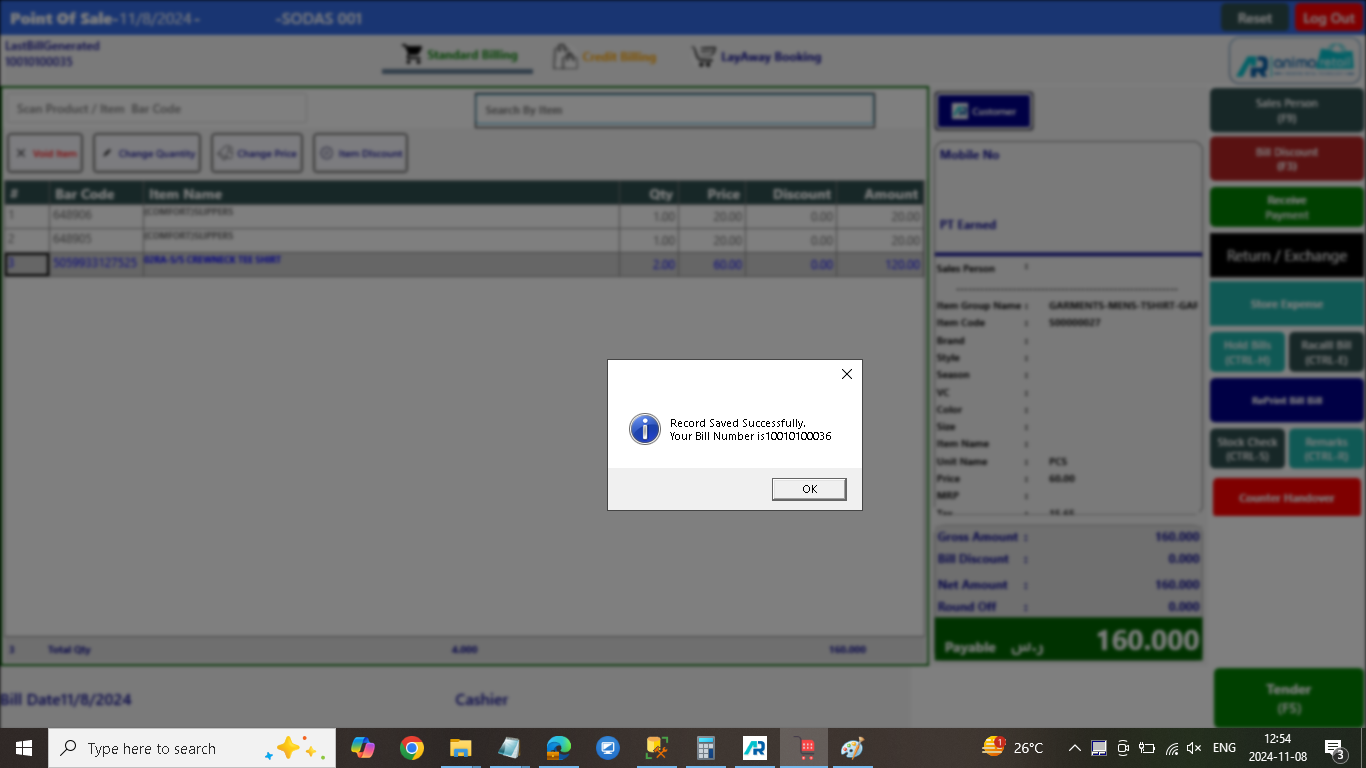
>> Now Standard Bill Generate process is completed successfully….