Loyalty / CRM in Animo RETAIL
Create / Manage Loyalty Card Type
Base Currency of this document is Saudi Riyal – Just assume it is your local base currency such as if one is reading it in India consider riyal as rupees.
To enable Loyalty, Feature the very first step is to create Loyalty Card Type which has Points Earn and Redeem Criteria and Conditions.
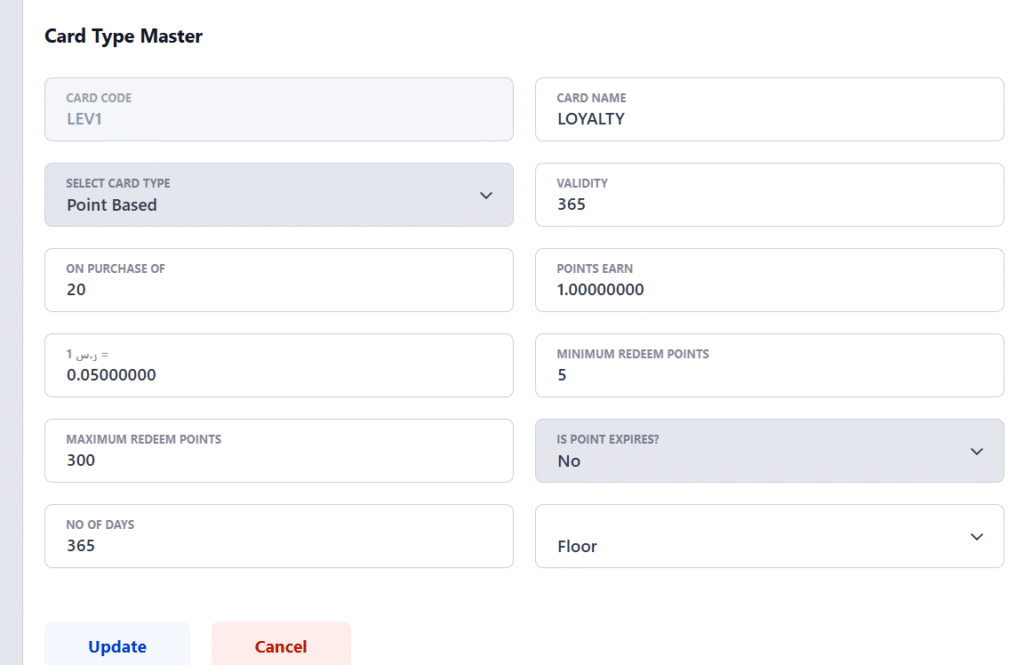
Following is an example of such card master definition
- For spent of every 20-riyal loyalty member get 1 point so suppose a customer bought something for 250 Riyal then he/she will be getting the 12.5 points
- One Point is equal to 0.05 Riyal at time of redeem that means if a customer wants to redeem 100 points, he/she will be getting 5 Riyal Value
- Minimum Redeem Points – A customer has to redeem at least how many points at once
- Maximum Redeem Points – This is maximum redeem point limit which a customer can use in one bill.
Create Loyalty Customer
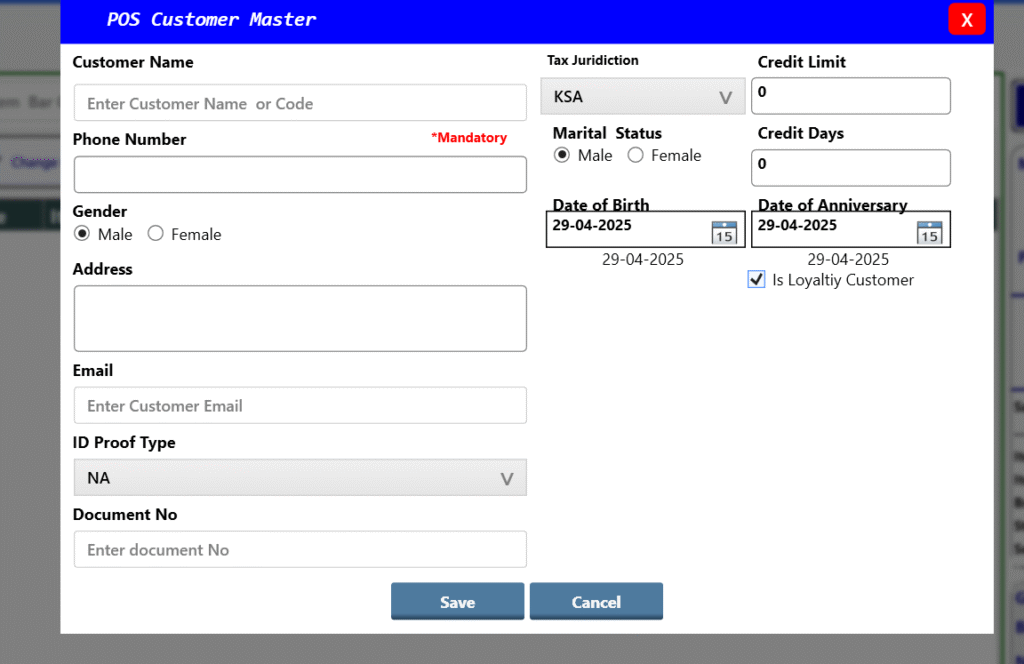
When creating a customer in Point of Sales Customer Master please mark tick on checkbox of “Is Loyalty Customer”
Once it is enabled customer a loyalty card will be issued to customer which associated with this customer
Please note this card is not editable through this customer master, it can be edited through Web – Back Office – CRM- Loyalty Customer.
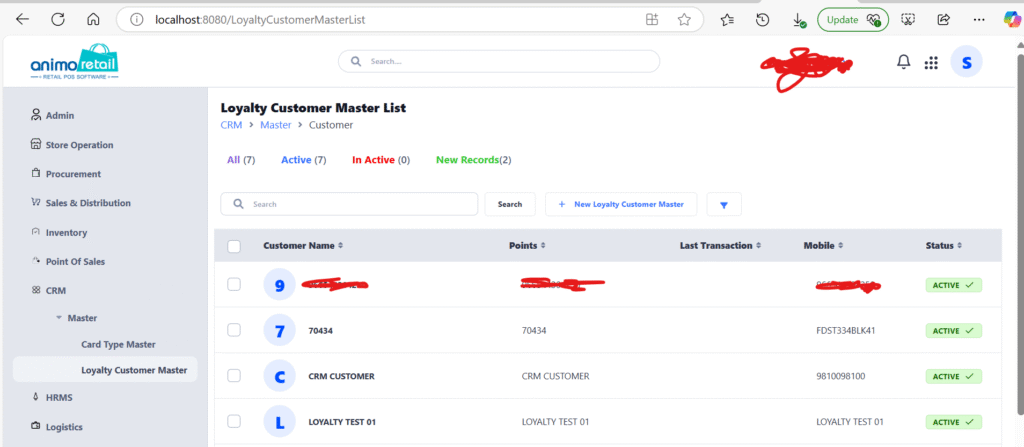
Following is an interface to edit CRM Customer Information of the customer, please note CRM Customer is independent from POS Customer Master but it is associated with POS Customer, so when you tag POS Customer in Billing Interface system will automatically pick the information of Loyalty master.
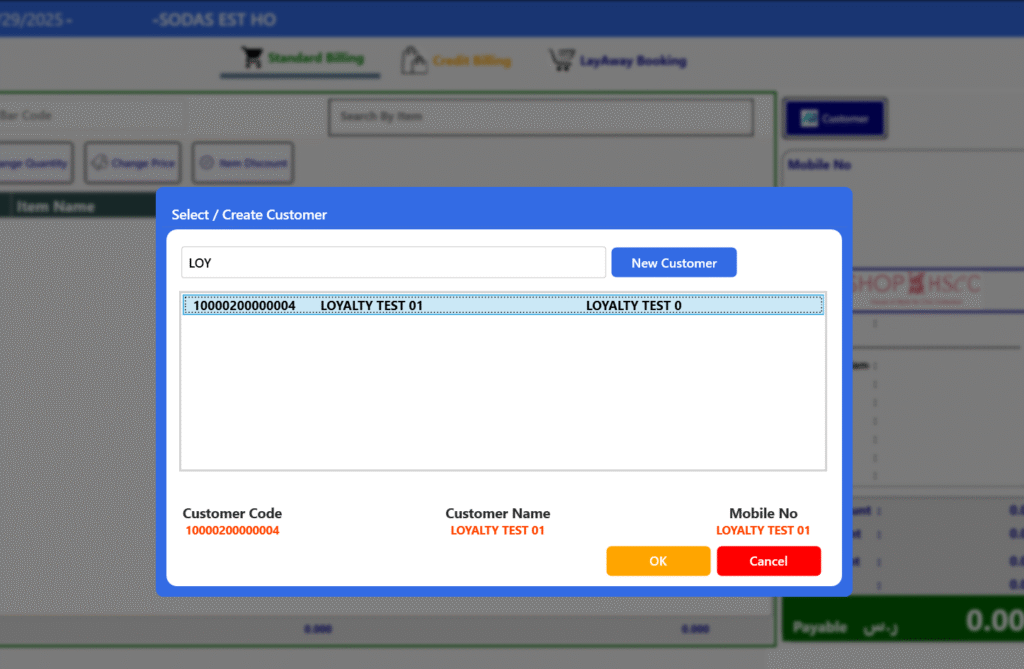
How to get points and redeem it ?
Tag the customer in POS Billing Interface
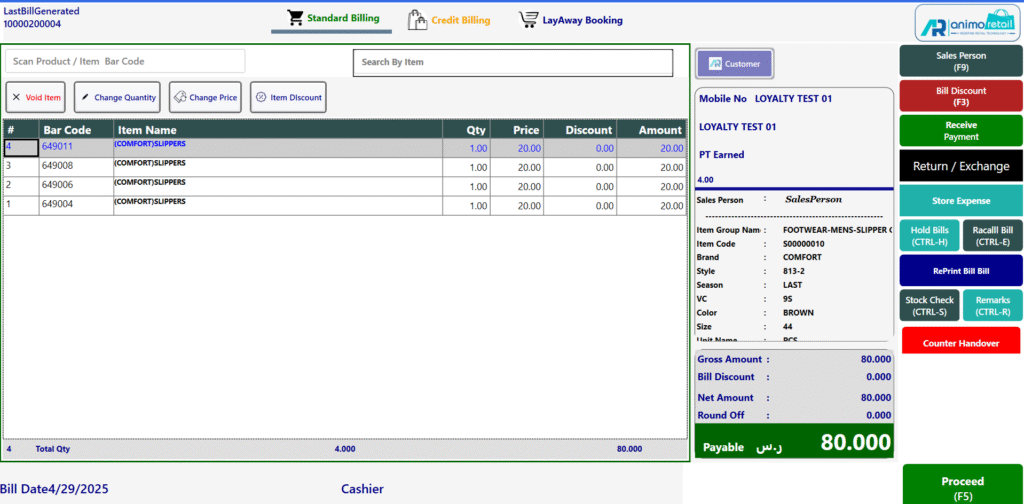
Once customer is tagged scan the items to be sold to customer and you will be able to see points to be earn based on Points Earn Logic. like in below interface you can see it is 4 points against 80 Riyal Purchase.
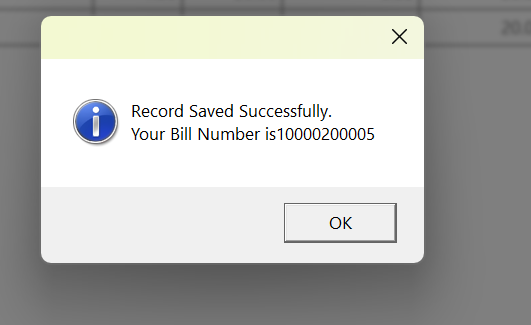
Bill is saved, at time of saving it will also insert CRM Point Records which will flow to Head Office based on schedule of data sync settings.
To Redeem Points let’s start a new transaction, tag the loyalty consider and scan one item.
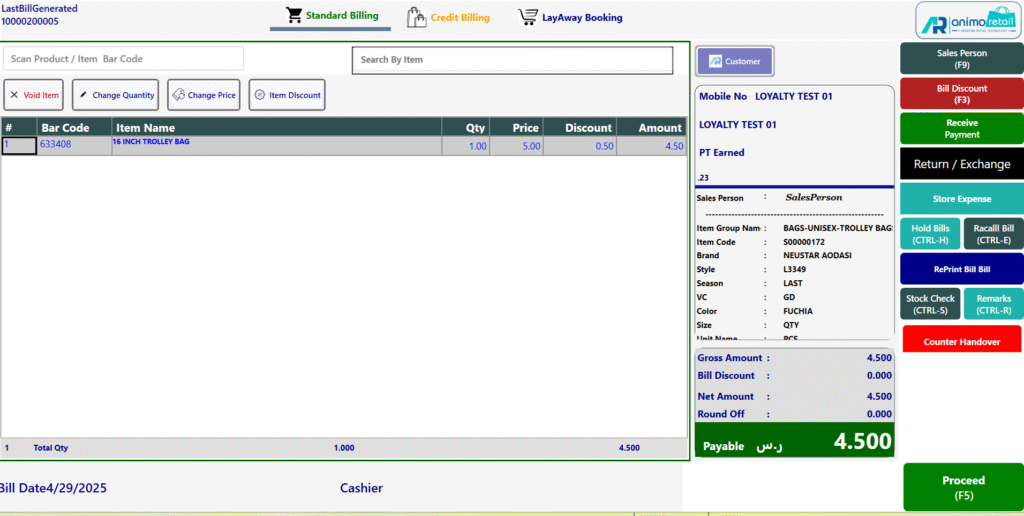
Click on Proceed and Click on Tender Button
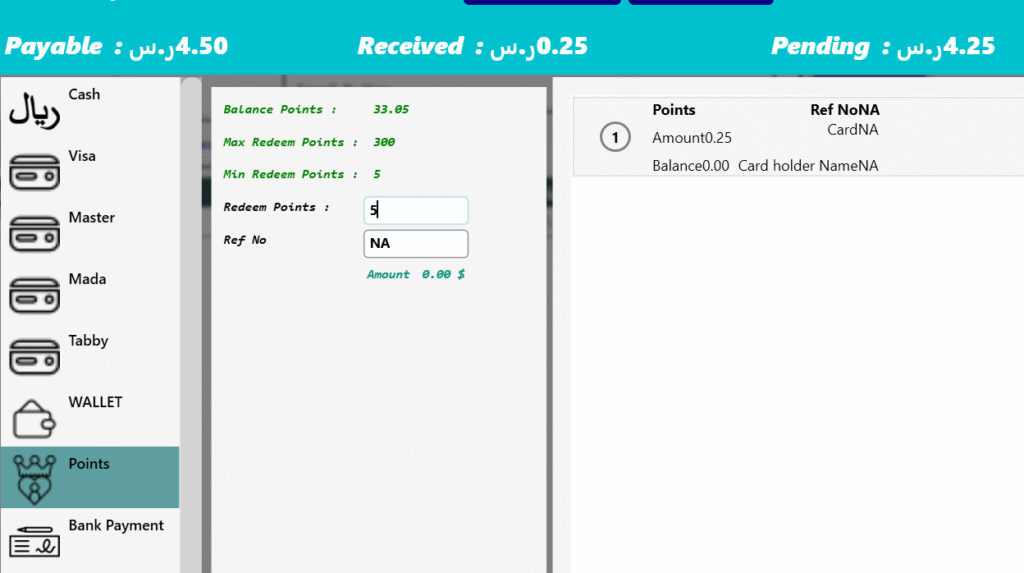
By default value comes with Cash Tender, please select Points Tender from List and enter the points you want to redeem, you also will be able to see the redeemable points in UI.
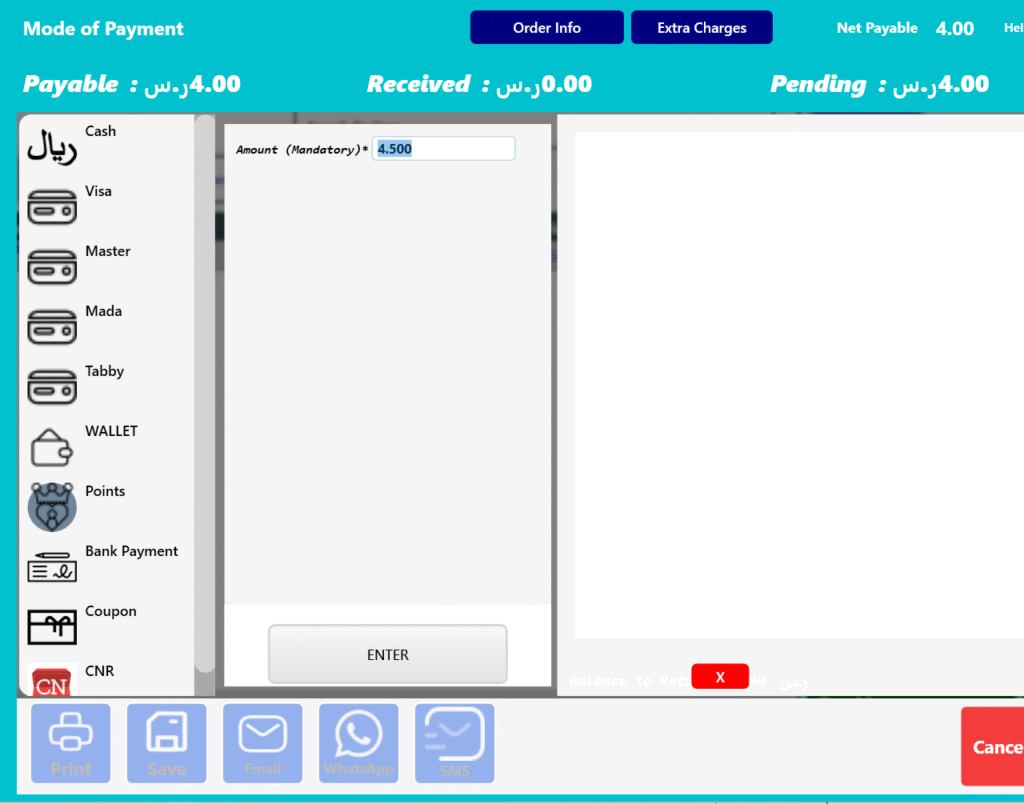
Choose Loyalty Points in Tender List, for example user is redeeming 5 points of customer in below interface which is equivalent to 0.25 Riyal, since payable was 4.5 now remaining payable is 4.25
The important point here is if it is centralized loyalty program you must have an active connection to your headoffice server as if connection is down by any reason one can not redeem the points. Points Validation (Closing Points) to be fetch from Backoffice Server from Head Office Database only in this case so connection is must.
Enter remaining amount from the other tender and save the record
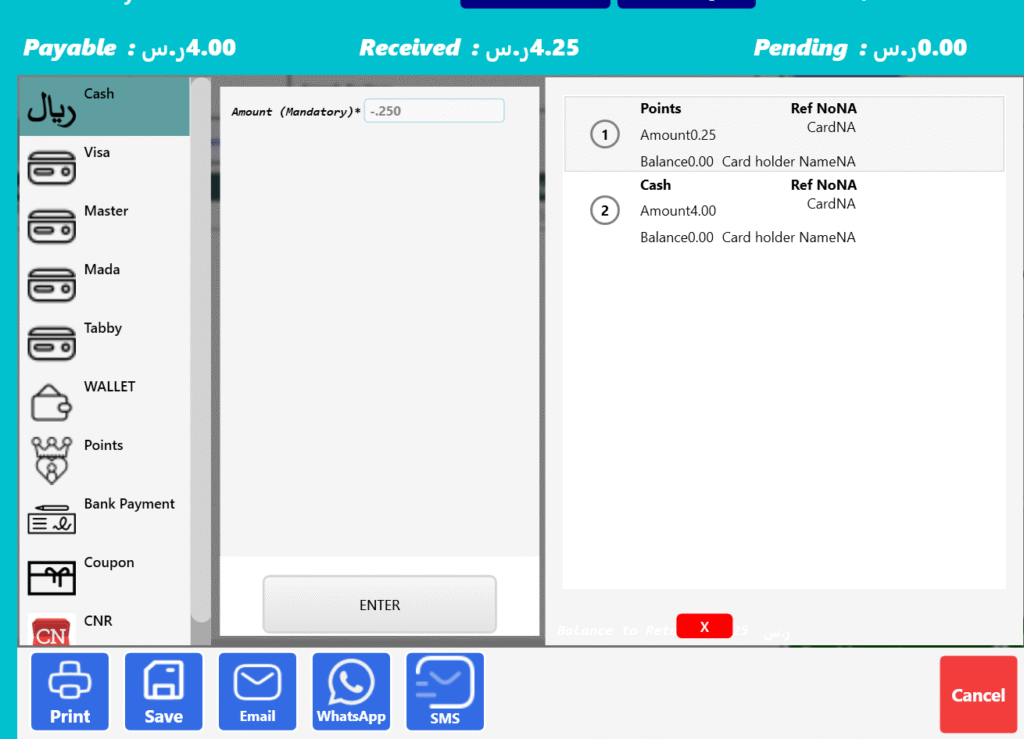
Now once a record is saved POS will send this information to Head office Server as per defined schedule so that Loyalty Points Get Update.